KMEye3.0.0
Publisher Description

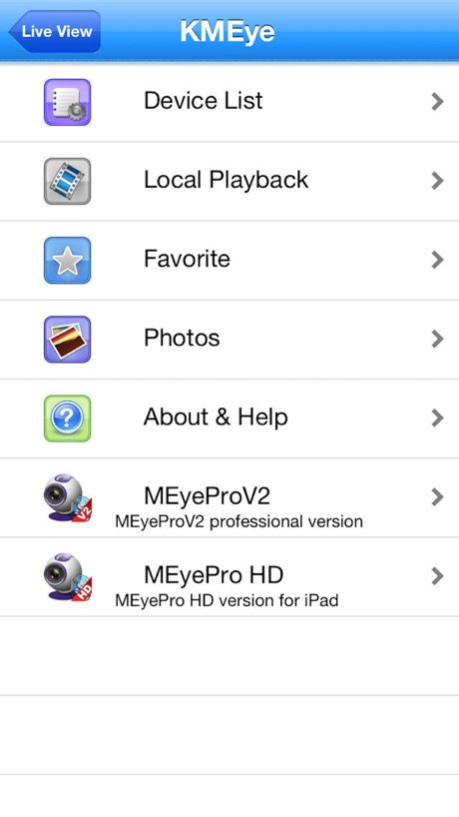


KMEye allows iPhone users to view and control live video streams from cameras and video encoders. Features:
iPhone and iPod Touch compatible.
Unlimited video on cellular and wifi.
Support MultiChannel video encoder.
Support for authentication.
Support for Pan, Tilt, & Zoom control.
Direct stream connection.
No video going through 3rd party servers.
Snapshot capability (while viewing live stream) to save to your local photo gallery.
Support for landscape and portrait mode.
Ability to change ip address and port as desired for internal and remote users.
v2.0.0
1、New UI
2、Optimization on decode efficiency
3、Stream mode selection, realtime and fluency
v2.1.0
Support iphone5
bug fixes
If you are experiencing a problem with either our products
or services, then feel free to contact our support team.
The Email: appsupport@foxmail.com
Version History support ios 11
bug fixes 3.0.0 09/28/2017 Support iphone5
bug fixes 2.1.0 06/10/2013 1、New UI
2、Optimization on decode efficiency
3、Stream mode selection, realtime and fluency 2.0.0 10/09/2012 Modify part of the legacy devices can not switch the channel 1.2.1 04/11/2012 Support for real channel, and the synchronization to update the device information
Support for direct channel switching without the need to reconnect 1.2.0 04/04/2012 Fixed memory leaking.
Optimization the details. 1.0.1 05/21/2011 1.0.0 11/02/2010
About KMEye
The company that develops KMEye is Guangzhou Kedi Intelligence Technology Co., Ltd.. The latest version released by its developer is 3.0.0.
To install KMEye on your iOS device, just click the green Continue To App button above to start the installation process. The app is listed on our website since 2026-10-14 and was downloaded 23 times. We have already checked if the download link is safe, however for your own protection we recommend that you scan the downloaded app with your antivirus. Your antivirus may detect the KMEye as malware if the download link is broken.
How to install KMEye on your iOS device:
- Click on the Continue To App button on our website. This will redirect you to the App Store.
- Once the KMEye is shown in the iTunes listing of your iOS device, you can start its download and installation. Tap on the GET button to the right of the app to start downloading it.
- If you are not logged-in the iOS appstore app, you'll be prompted for your your Apple ID and/or password.
- After KMEye is downloaded, you'll see an INSTALL button to the right. Tap on it to start the actual installation of the iOS app.
- Once installation is finished you can tap on the OPEN button to start it. Its icon will also be added to your device home screen.
Program Details
General
System requirements
Download information
Pricing
Version History
version 3.0.0
posted on 2026-10-14
Version History support ios 11
bug fixes 3.0.0 09/28/2017 Support iphone5
bug fixes 2.1.0 06/10/2013 1、New UI
2、Optimization on decode efficiency
3、Stream mode selection, realtime and fluency 2.0.0 10/09/2012 Modify part of the legacy devices can not switch the channel 1.2.1 04/11/2012 Support for real channel, and the synchronization to update the device information
Support for direct channel switching without the need to reconnect 1.2.0 04/04/2012 Fixed memory leaking.
Optimization the details. 1.0.1 05/21/2011 1.0.0 11/02/2010
version 3.0.0
posted on 2026-09-05
Version History This app has been updated by Apple to prepare for watchOS 27 compatibility. No new features are included.
support ios 11
bug fixes 3.0.0 09/28/2017 Support iphone5
bug fixes 2.1.0 06/10/2013 1、New UI
2、Optimization on decode efficiency
3、Stream mode selection, realtime and fluency 2.0.0 10/09/2012 Modify part of the legacy devices can not switch the channel 1.2.1 04/11/2012 Support for real channel, and the synchronization to update the device information
Support for direct channel switching without the need to reconnect 1.2.0 04/04/2012 Fixed memory leaking.
Optimization the details. 1.0.1 05/21/2011 1.0.0 11/02/2010
version 3.0.0
posted on 2026-08-11
Version History This update from Apple will improve the functionality of this app. No new features are included.
support ios 11
bug fixes 3.0.0 09/28/2017 Support iphone5
bug fixes 2.1.0 06/10/2013 1、New UI
2、Optimization on decode efficiency
3、Stream mode selection, realtime and fluency 2.0.0 10/09/2012 Modify part of the legacy devices can not switch the channel 1.2.1 04/11/2012 Support for real channel, and the synchronization to update the device information
Support for direct channel switching without the need to reconnect 1.2.0 04/04/2012 Fixed memory leaking.
Optimization the details. 1.0.1 05/21/2011 1.0.0 11/02/2010
version 3.0.0
posted on 2017-09-28
This app has been updated by Apple to display the Apple Watch app icon.
support ios 11
bug fixes
version 3.0.0
posted on 2017-09-28
Sep 28, 2017 Version 3.0.0
support ios 11
bug fixes
version 3.0.0
posted on 2017-09-28
Sep 28, 2017 Version 3.0.0
This app has been updated by Apple to use the latest Apple signing certificate.
support ios 11
bug fixes
version 3.0.0
posted on 2017-09-28
Sep 28, 2017 Version 3.0.0
This app has been updated by Apple to display the Apple Watch app icon.
support ios 11
bug fixes
version 2.1.0
posted on 2010-11-02
version 3.0.0
posted on 1970-01-01
2017年9月28日 Version 3.0.0
support ios 11
bug fixes
